Upsell popups you design by chatting
Lift your average order value with upsell popups built in a chat: start from a template or describe the popup you want, then tell the AI what to change — no designer, no drag-and-drop.
-
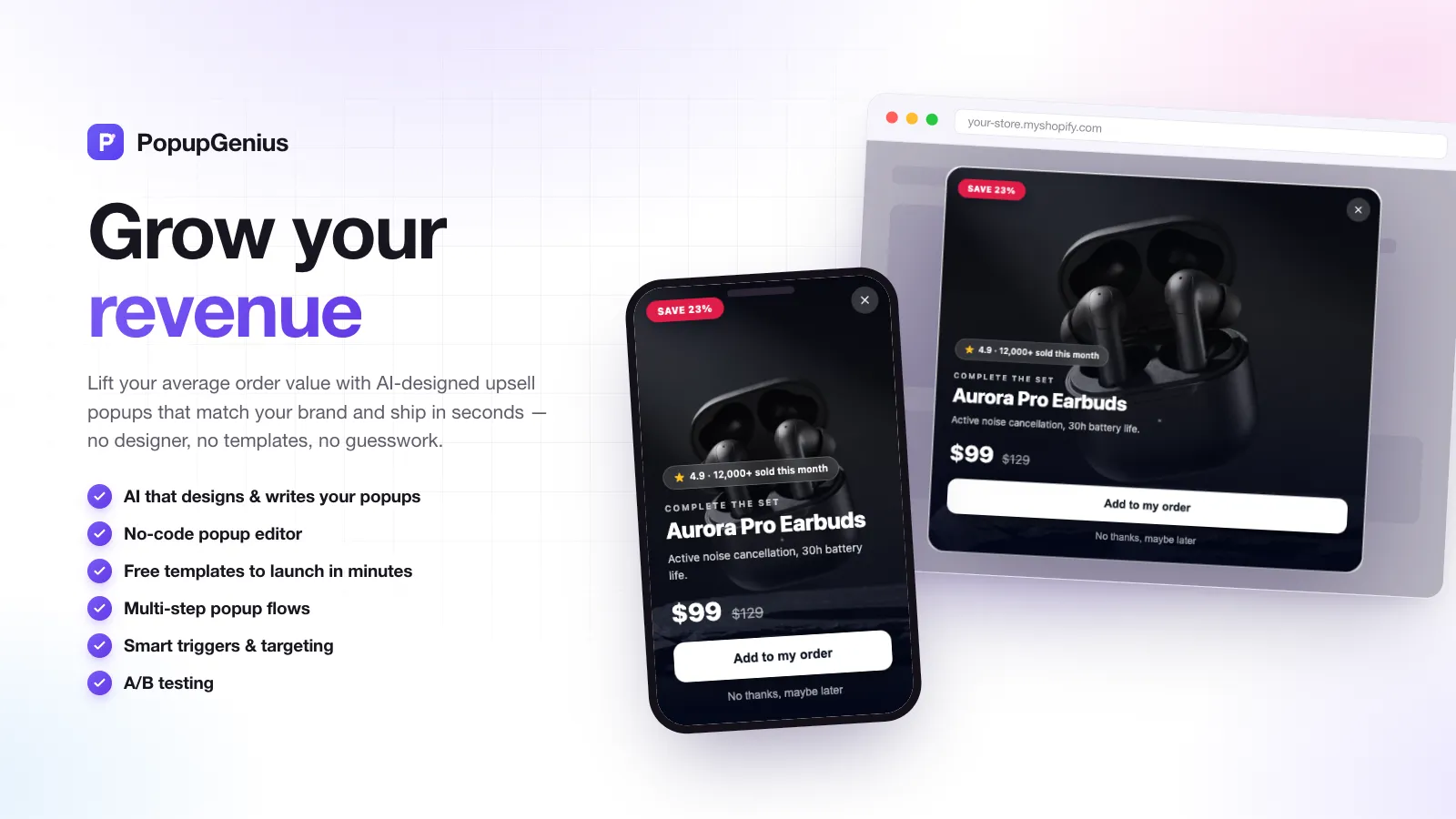
Overview. One upsell popup, rendered for desktop and mobile from the same design — no separate mobile build. -
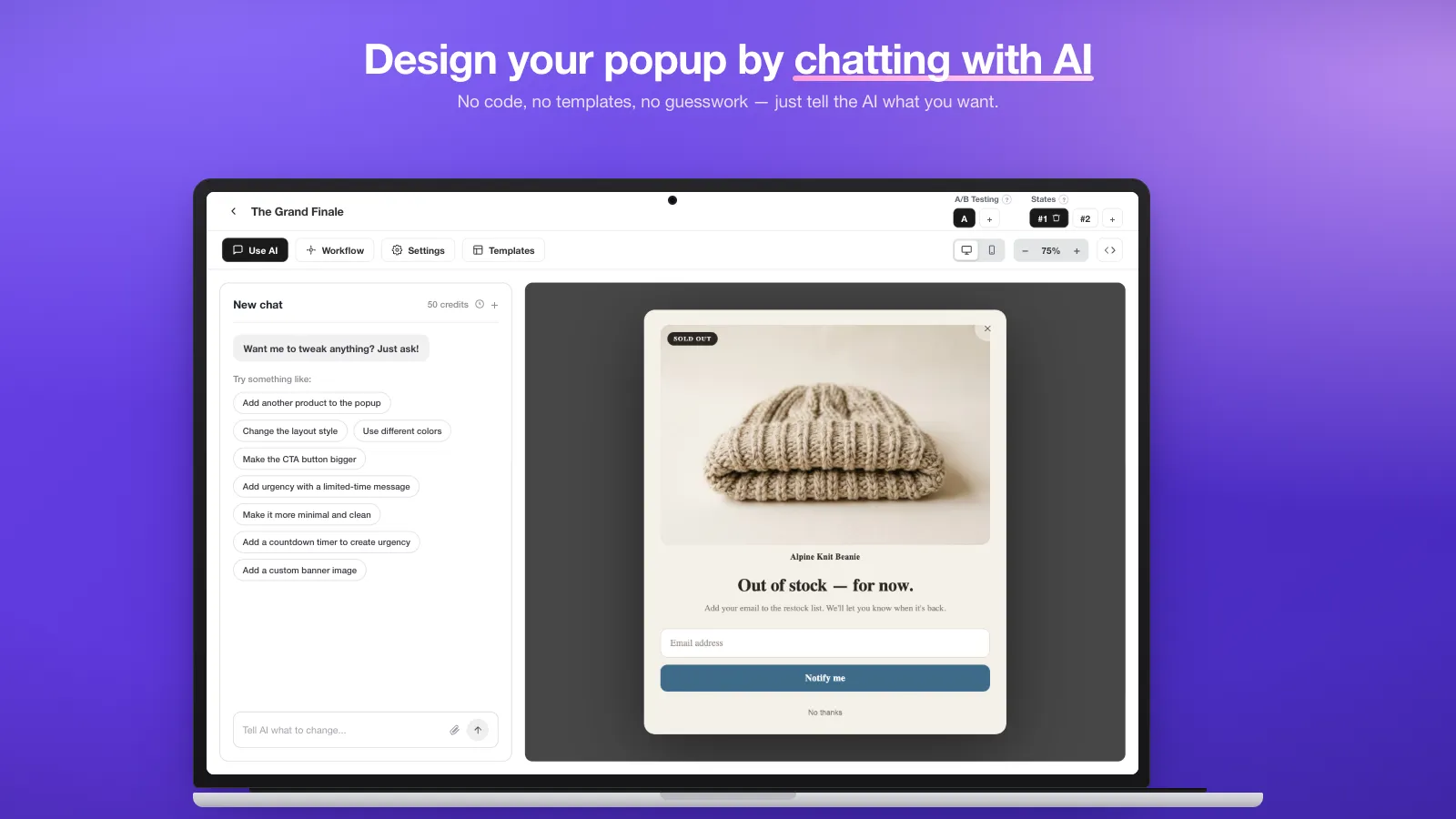
AI chat. Ask for another product, a bigger button, a countdown — the AI rewrites the design and the preview updates as you chat. -
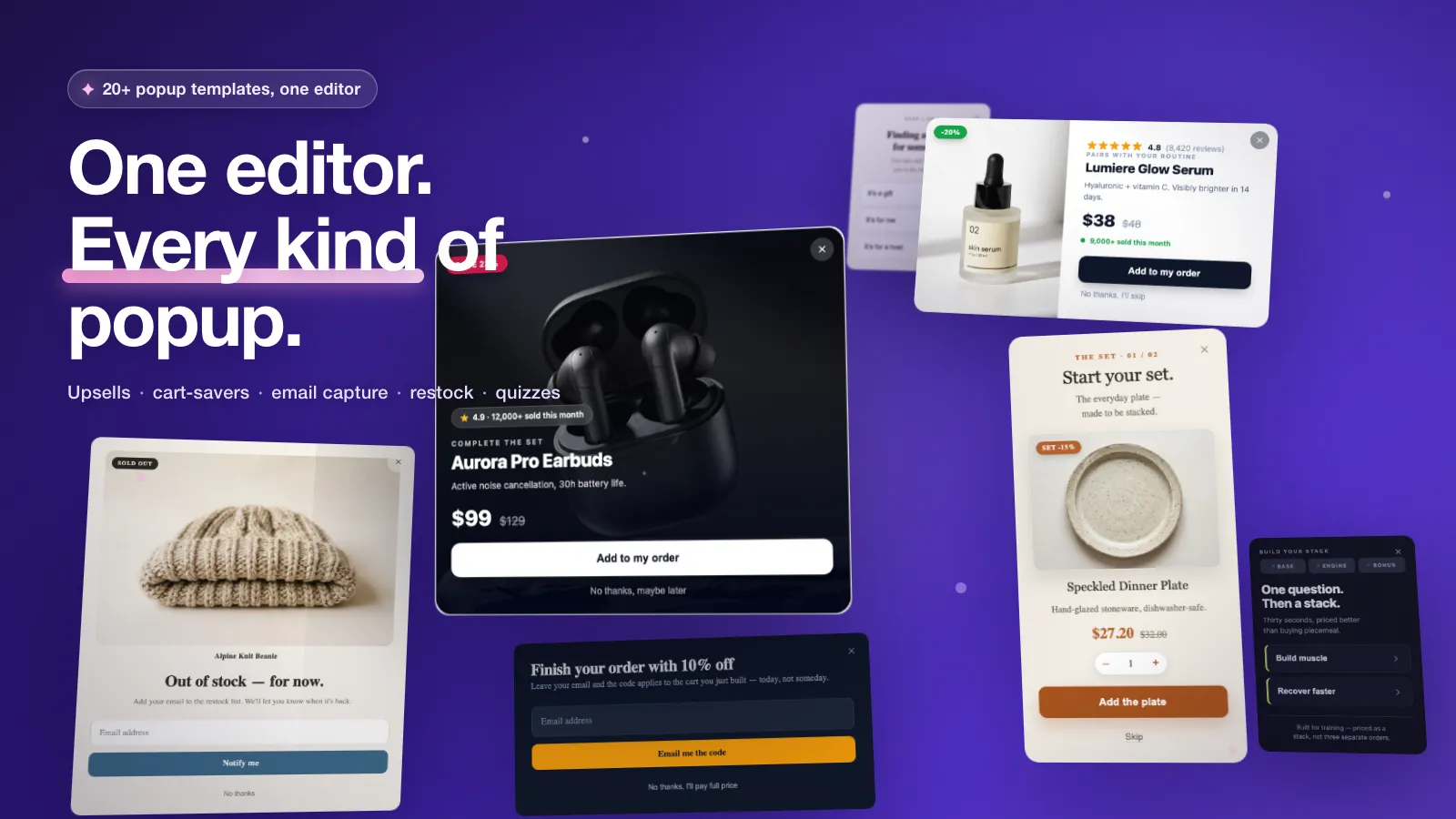
Templates. Start from 23 built-in templates — upsells, cart-savers, email capture, restock alerts — then make any of them yours by chatting. -
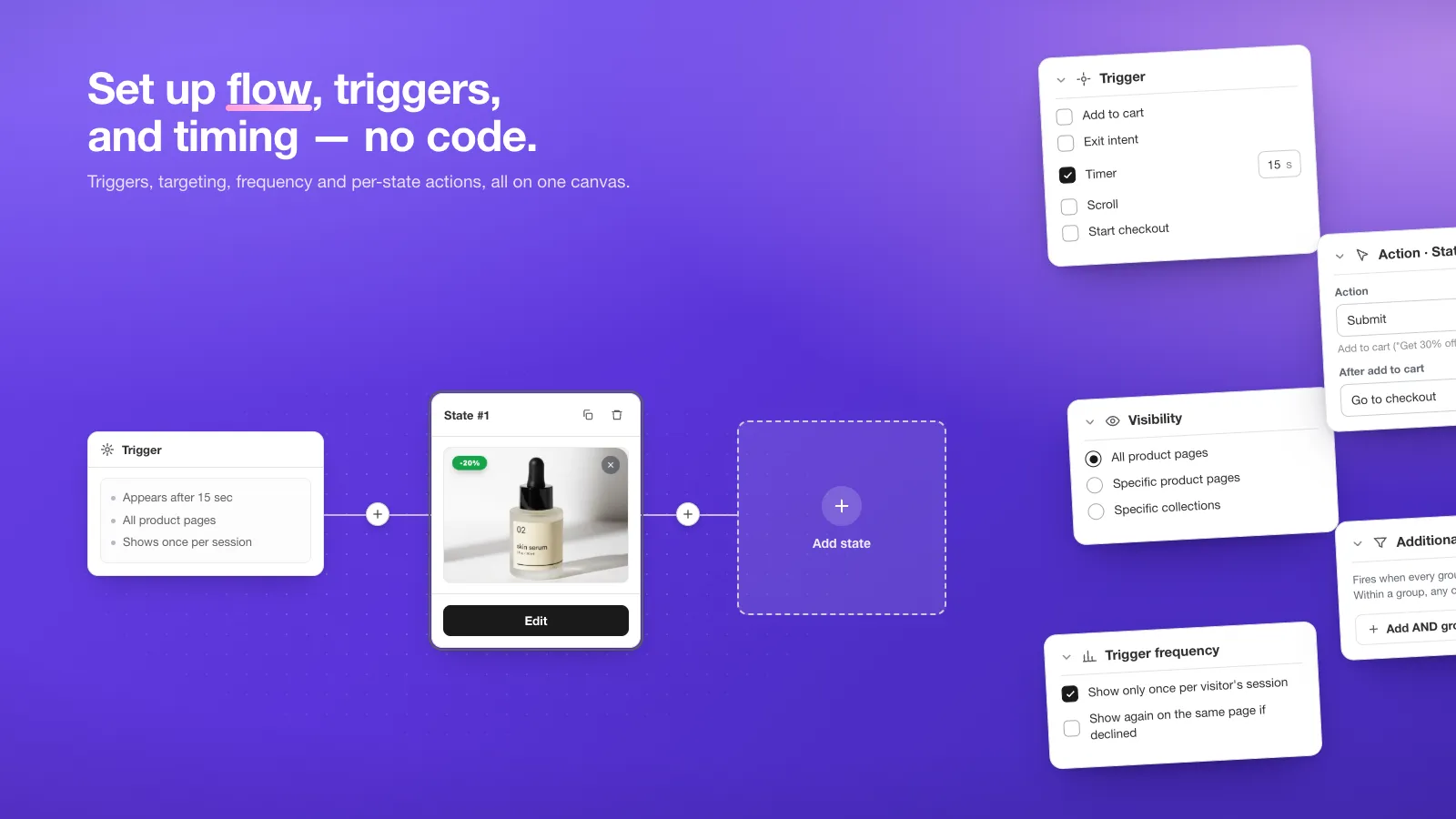
Triggers. Fire on add to cart, exit intent, a timer, scroll depth or the start of checkout — then pick which products or collections it shows on and how often. -
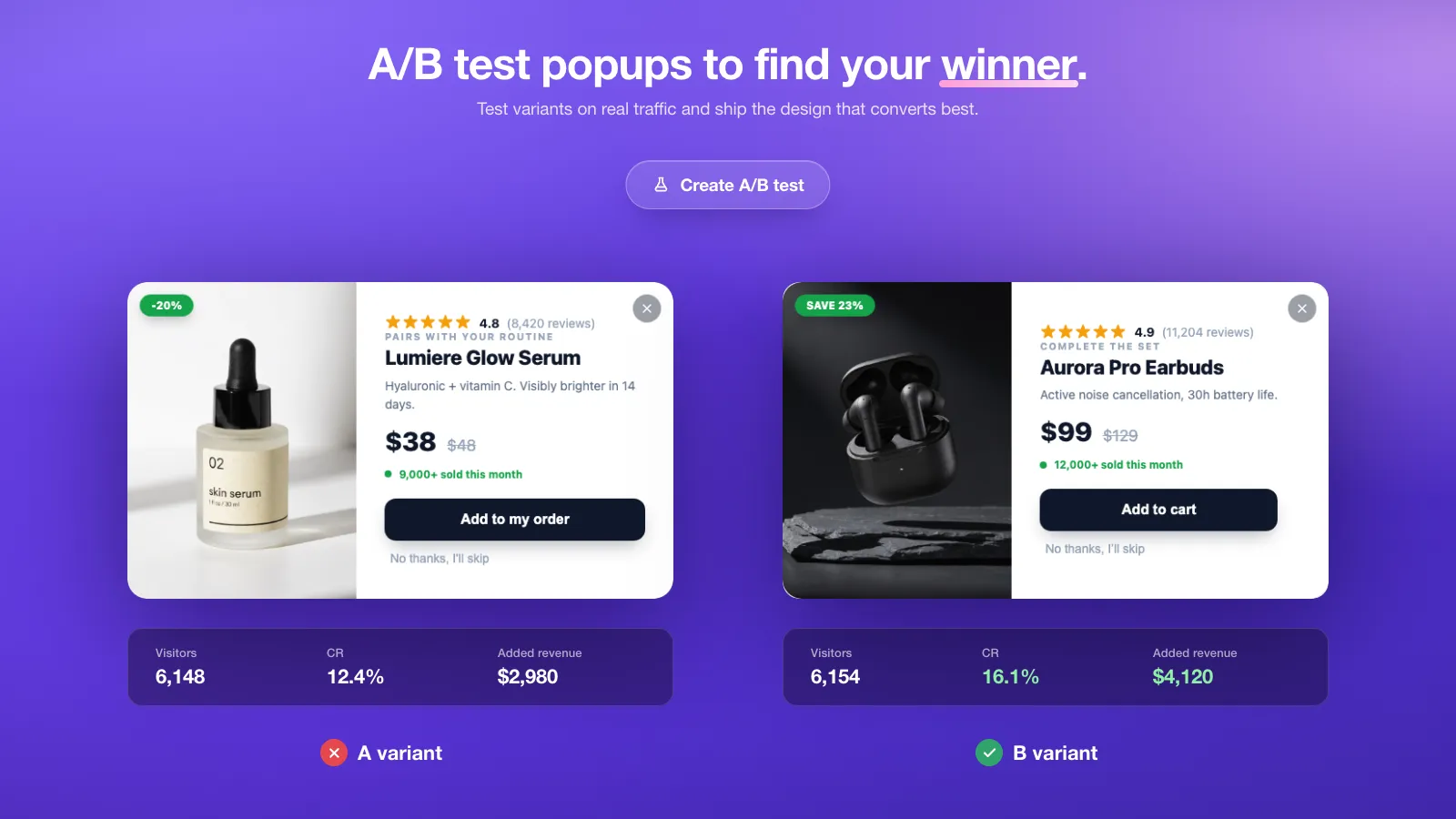
A/B tests. Split live traffic between two versions and compare views, adds to cart, purchases and attributed revenue side by side. Example dashboard — sample data -
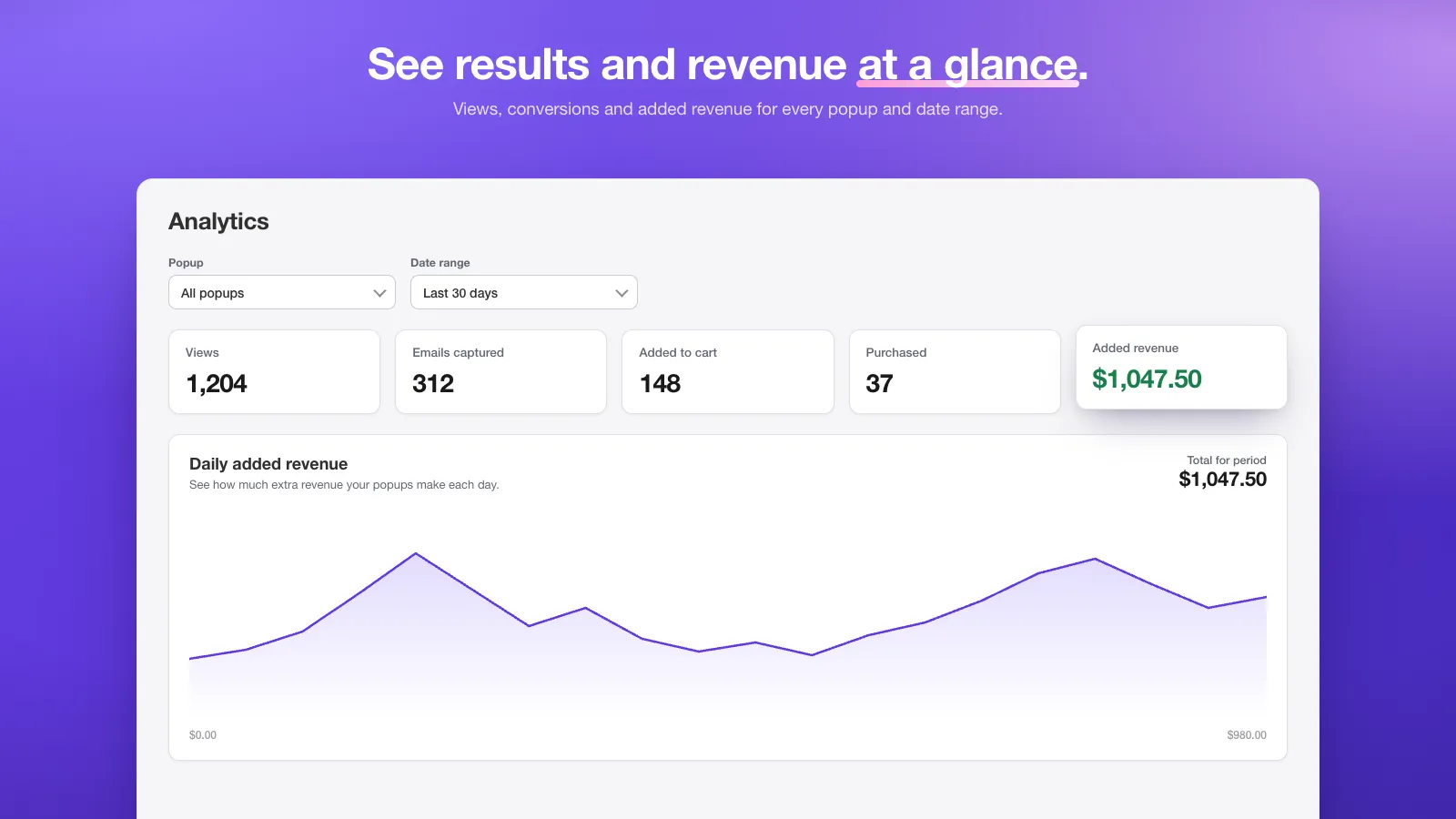
Analytics. Views, emails captured, adds to cart, purchases and attributed revenue — per popup, per date range. Example dashboard — sample data -
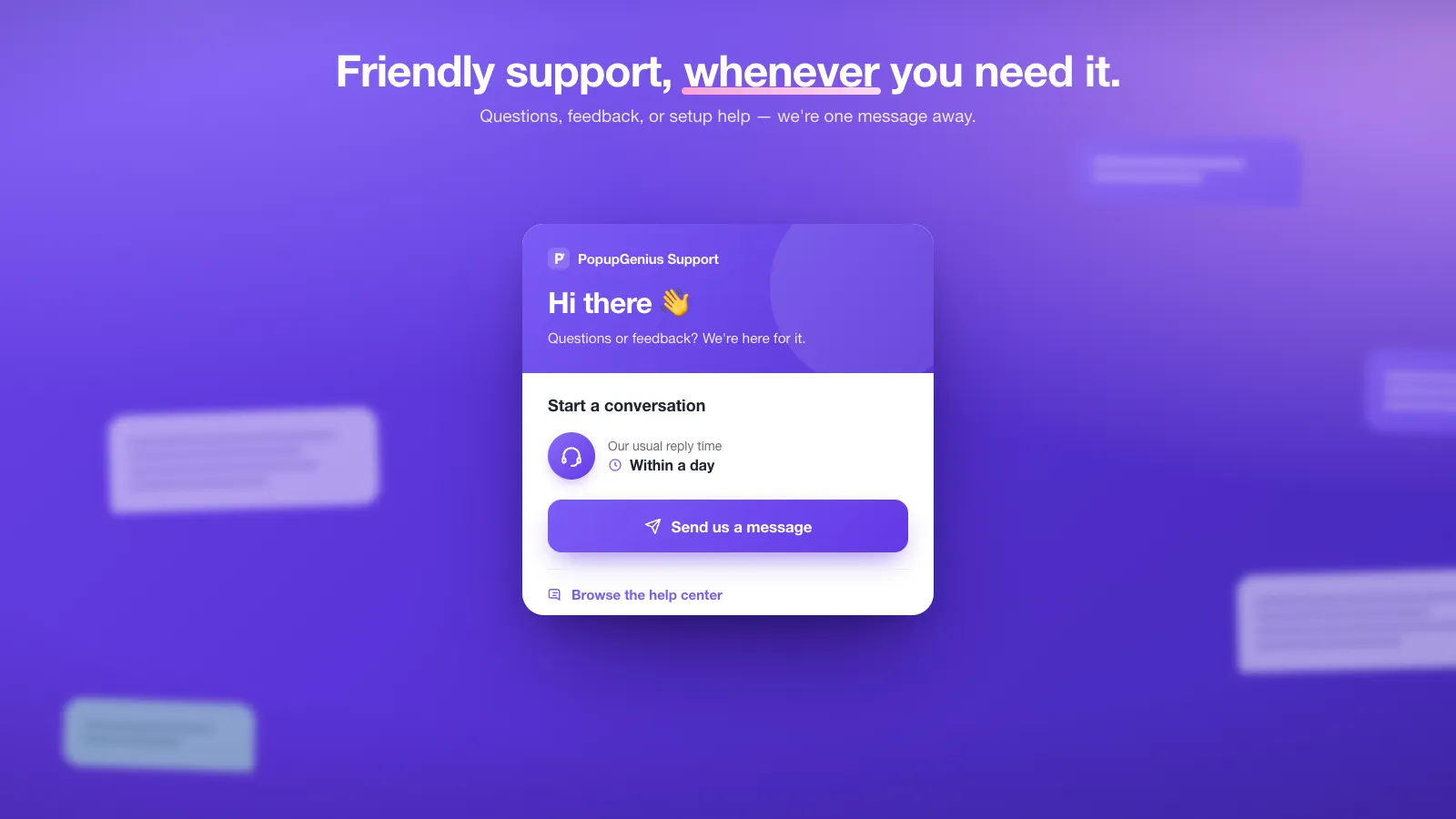
Support. Send a setup question or a feature idea straight to the people building it — and vote on what ships next.
- Installs as a theme app extension — no theme files edited
- Upsell discounts run through a Shopify Function — no code for shoppers to type
- Billed through Shopify, on the invoice you already get
- Loads deferred, so it never blocks your storefront rendering
Popups that push the order higher.
Cross-sells, upsells, gifted thresholds, exit-intent recoveries — PopupGenius is built to raise revenue per visitor.
-
Cross-sell that lands
Show the products you pick on product pages, the cart page, and when shoppers click checkout — the moments they’re already reaching for their wallet.
-
Recover abandoning shoppers
Exit-intent popups turn “almost gone” into “add to cart.” You pick the product and the discount in a few clicks.
-
Lift AOV without ads
Free gift over $X. Bundle & save. Complete the set. Upsell and bundle popups add each offer to the cart in one tap.
Everything you need. Nothing you don’t.
Built for Shopify merchants who want results, not another tool to learn.
-
AI that knows your brand
PopupGenius reads your store’s colors and fonts and hands them to the AI when it builds a popup from your description. To restyle one later, just name the colors — “make it navy and gold.”
-
Change design and copy with chat
Tell the AI what to tweak in your own words. Move the button, swap in another product, change the colors, add a countdown timer — and watch the preview update. No design tool to learn.
-
23 templates, one editor
Start from 23 built-in templates — upsells, cart-savers, email capture, restock alerts. Save your own designs, and publish them for other merchants when you want to share.
-
Smart triggers, not pop-spam
Exit intent, scroll depth, cart value, page-specific rules. Show the right popup to the right shopper at the right moment.
-
A/B test with real traffic
Split traffic between two variants and compare views, adds to cart, purchases and attributed revenue for each, side by side — then keep the one that wins.
-
Discounts that just work
Discounts on popup-added items apply automatically at checkout — no code for shoppers to type. They run as a Shopify discount function, not a script in your theme.
One app instead of three.
23 templates ship with PopupGenius. Every one of them is built, edited and triggered the same way — so you're not paying three subscriptions to learn three editors.
-
Upsells
Offer the product you pick the moment something lands in the cart.
-
Cart-savers
Catch exit intent with the offer that turns “almost gone” into “add to cart”.
-
Email capture
Trade a discount code for an address that lands in Shopify as an email subscriber.
-
Restock alerts
Collect a notify-me list on the sold-out product you pick, tagged in Shopify for your restock email.
-
Gift finders
Ask a quick question or two, then reveal the gift picks you’ve chosen.
Captured emails land in your Shopify customer list with marketing consent and a tag — ready for whichever email tool already syncs from Shopify.
Three steps. No designer.
- 01
Install & connect
Add PopupGenius to your Shopify store and pick a template. It fills with a real product from your catalog — photo, title and price.
- 02
Tell the AI what to change
Type what you want: “add a countdown timer,” “make it navy and gold,” or “make the CTA pop more.” The AI updates the popup live as you chat.
- 03
Publish & convert
One click goes live. Edit anytime via chat. A/B test variants. Watch conversions climb in the dashboard.
It can’t break your store.
Nobody installs a storefront app without asking what it costs them in speed, theme edits and lock-in. Here are the answers, in order.
-
Loads after your page
The storefront script is about 44 KB gzipped and loads deferred, so it never blocks your page from rendering.
-
Never touches theme code
PopupGenius ships as an official theme app extension. It adds nothing to your theme files, and it leaves with the app when you uninstall.
-
Off in one toggle
Switch it off in your theme editor whenever you want — no uninstall, no code, no support ticket.
-
Your data, deletable
Captured leads are yours. We handle all three of Shopify’s mandatory privacy webhooks and purge old lead data on a retention schedule.
Theme app extensions need an Online Store 2.0 theme. Vintage themes aren’t supported.
Built to outperform — at the prices you already pay.
Every plan includes AI chat editing, A/B testing and the template gallery. Higher tiers add more popup views and AI credits.
Free
Try every feature on a Shopify development store.
Development stores only
- All Pro features
Starter
For small stores shipping their first AI popup.
Billed through Shopify
- Unlimited popups
- Advanced targeting
- Endless customization
- Live chat customer support
Growth
For growing stores with more traffic to test and convert.
Billed through Shopify
- Unlimited popups
- Advanced targeting
- Endless customization
- Live chat customer support
Pro
For high-traffic stores serious about AOV.
Billed through Shopify
- Unlimited popups
- Priority support
- Advanced targeting
- Endless customization
All paid plans include a 7-day free trial. Cancel anytime from your Shopify admin.
The Free plan is available only on Shopify development stores. Live stores start on Starter.
All prices in USD.
Questions, answered.
How is this different from other popup apps?
Do I need any design or coding skills?
What does the template gallery include?
Will it slow down my store?
Does it work with my theme?
Does it work with Shop Pay?
How do I get started?
Can I cancel anytime?
Now live on the Shopify App Store
Your first AI popup is a few minutes away.
Install PopupGenius from the Shopify App Store. Start from a template or describe the popup you want — then change its design, layout and copy by chatting.
- 7-day free trial on every paid plan
- Cancel from your Shopify admin — no contract
- Uninstalling leaves no theme code behind
- Your lead list stays in your Shopify customers