Email popup
Type one sentence. Get an email popup that grows your list.
Ask for the email, hand over the code, send them on to the page you choose. No designer and no code: describe it, and change it by saying so.
- Email, plus a first name and a phone if you want them
- Shows your discount code with a copy button
- Every signup in a list you can download
Free plan, no card, and it does not expire: one popup, 500 views and 20 AI credits a month, with a small PopupGenius badge.
A popup has one job: the sale
A code or a countdown asks for the order now. An email address is a customer you can sell to tomorrow. Sleeknote counted how often a popup gets one.
4.23%
of popup views ended with the visitor leaving an email address.
Sleeknote, Popup Statistics 2026: 516,866,935 popup views across every brand, not PopupGenius results.
Email popup examples to start from
Six of the email templates in the gallery. Apply one and change the words and colors by typing, or describe your own offer and it gets built from your sentence.
-
Collect emails
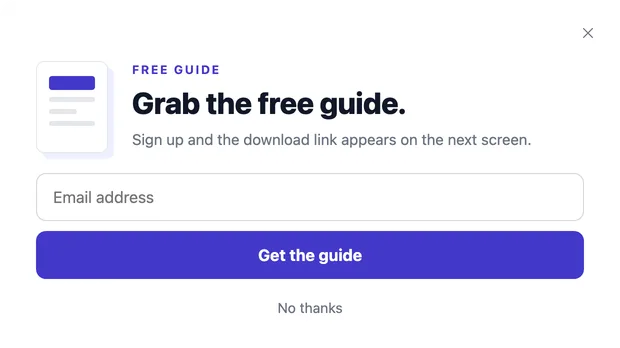
Lead Magnet
Offers a free guide for an email address, then shows the download link.
-
Trade a code for an email
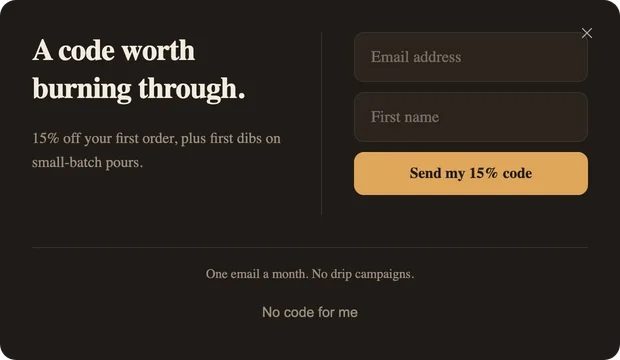
First Flame — Code Reveal
Asks for an email and a first name, then shows the discount code.
-
Make it a game
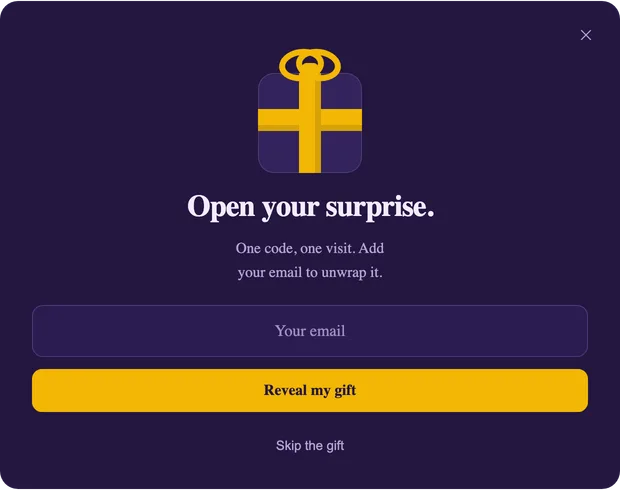
Mystery Gift
A wrapped gift that opens to a code once the visitor leaves an email address.
-
Turn a signup into a referral
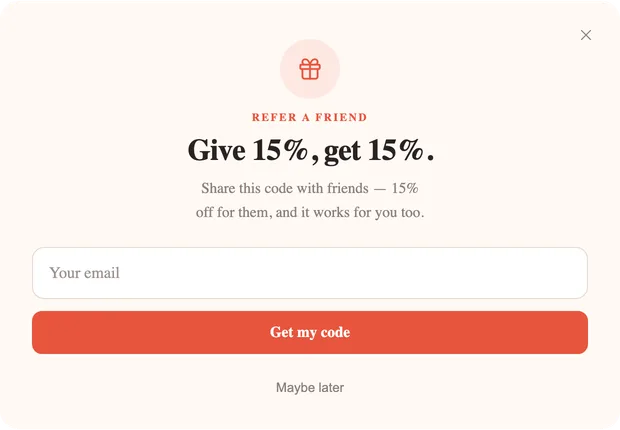
Refer & Earn
Give 15%, get 15%: the visitor leaves an email and gets a code to share with friends.
-
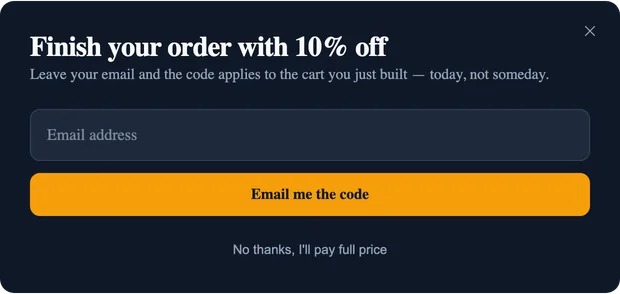
Save the order
Cart Rescue Code
Offers 10% off the order in progress in exchange for an email address.
-
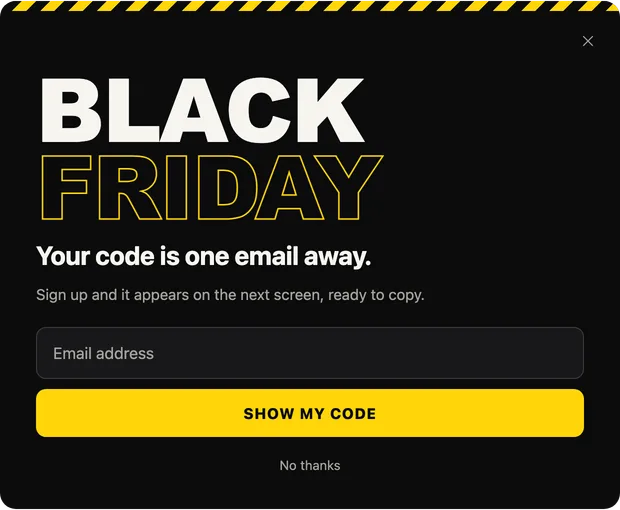
Black Friday
Black Friday Code
Your Black Friday code, one email address away, then shown with a Copy button.
Three steps to the first address
- 1
Create a free account
An email and a password. The free plan is already on it, no card.
- 2
Paste one script tag
Before the closing body tag. WordPress, Webflow, WooCommerce, or a site you built yourself.
- 3
Switch on the signup form
Settings → Lead capture. Email is required; a first name and a phone number are optional.
What happens after they hit send
- A success heading you write yourself
- Your discount code, with a copy button
- A continue button that can open any page
- Or a whole second step, if the code deserves its own screen
Your discount code, your rules. Paste in a code you already run and the popup shows it with a copy button. Nothing is generated behind your back, and your shop’s discount settings stay exactly as you left them.
And where the addresses go
- Which popup, which page and which traffic source each signup came from
- Search across everything collected
- Download the lot as a CSV file
- Forward each new signup to another app as it arrives
The list stays yours. Nothing is locked in. Download everything as a CSV file whenever you like, or have each new signup forwarded the moment it arrives, straight into the tool you already send email from.
Watch one collect an address
An email popup that gives a discount code, on any website, in a 39-second video.
The same editor does the rest
You came here for one popup. The first three come with it on the free plan; the rest need a paid one.
- Templates
- Start from a design built for the job, or from a sentence you type.
- Triggers
- Exit intent, a timer, scroll, or the moment something is added to the cart.
- Media library
- Your own images, uploaded once and reused.
- A/B tests paid plan
- Run two versions of the same popup and keep the one that wins.
- Multi-step flows paid plan
- A second screen for anyone who says no the first time.
Store owners on their first popup
Five shops that built one, put it live and kept it there. What they said after the first week.
-
I added PopupGenius to our plant shop because I wanted a simple way to show add-ons. The planter popup came together in about 10 minutes in the AI chat, it matched our branding perfectly and it does not feel like spam. Customers are already adding more items to their cart. Really happy with it.
Bloom & Branch Botanicals Sarah Mitchell -
Installed it yesterday. Creating an exit-intent offer for supplements is so easy. The automatic discount in the cart is brilliant, and the design from the AI looks professional. No code, everything in minutes. Easy to recommend to other store owners.
Apex Fitness Gear Mike Chen -
I added it because I needed a simple way to show bundles without annoying visitors. The first popup was live within minutes, and changing the offer is easy. Clean and unobtrusive. 5/5.
Luxe Home Linens Emma Rodriguez -
Simple and effective! I set up my first accessory upsell quickly. Changing the offers is easy, and the AI caught our style well. It genuinely helps sell more without extra complexity.
Wanderlust Travel Essentials Jordan Lee -
We use it for upsells in our pet store. The AI chat made the design process simple and on-brand. Setup took minutes and the offers are easy to swap. No annoying popups, only useful ones. Customers like them.
Pure Pet Supplies Priya Sharma
Start free, pay when the popup has a job
The free plan is not a trial that runs out. It stays free, with one popup and a small badge on it.
Free
$0.00/mo
1 popup with 1 step, 20 AI credits and 500 popup views a month, with a small PopupGenius badge on the popup. Upgrade when you need more.
Starter
$9.99/mo
7-day free trial- 5,000 popup views a month
- 100 AI credits a month
- Unlimited popups and steps
- No PopupGenius badge
Growth
$19.99/mo
7-day free trial- 25,000 popup views a month
- 300 AI credits a month
- Unlimited popups and steps
- No PopupGenius badge
Pro
$39.99/mo
7-day free trial- 100,000 popup views a month
- 900 AI credits a month
- Unlimited popups and steps
- No PopupGenius badge
Every paid plan includes unlimited popups, unlimited steps and A/B variants, translations, and no PopupGenius badge. Your first paid plan starts with a 7-day free trial. You pick one inside the app when the free plan runs out; there is nothing to choose now.
Questions about email popups
- Where do the email addresses go?
- To the Leads page in your account, with the popup, the page and the traffic source each one came from. You can search them, download the lot as a CSV file, or have each new one forwarded to another app as it arrives.
- Does PopupGenius create the discount code?
- No. You create it where your shop handles discounts and paste it in, and the popup shows it with a copy button once the address is submitted. Nothing is generated behind your back.
- Can I ask for a name or a phone number too?
- Yes. The email field is required; a first name and a phone number with a country picker are optional, and you write the placeholder text for each.
- Is PopupGenius an email sender?
- No, and it does not try to be. It collects and stores the addresses and hands them back: take the CSV, or have each new signup forwarded automatically into the tool you already send email from.
- What about consent?
- The visitor types their own address and presses the button, which is the consent for that exchange. What you send them afterwards, and on which legal basis, stays your decision and your record to keep.
- How many addresses can I collect on the free plan?
- As many as the popup earns. The free plan limits views to 500 a month, not signups, so every visitor who fills the form is yours to keep.
Running a store instead of a site?
The same editor ships as a Shopify app, and there a signup also becomes a customer subscribed to email marketing, tagged however you like. Everything else on this page works the same on both.
See it on the App StoreYour next visitor could be your next subscriber
Create the account, paste the script, describe the offer. The free plan is enough to see it collecting on your own site.